
OneCamera: Video Maker1.6.11 - App Store
You'll be able to see results in few seconds.
Publisher Description
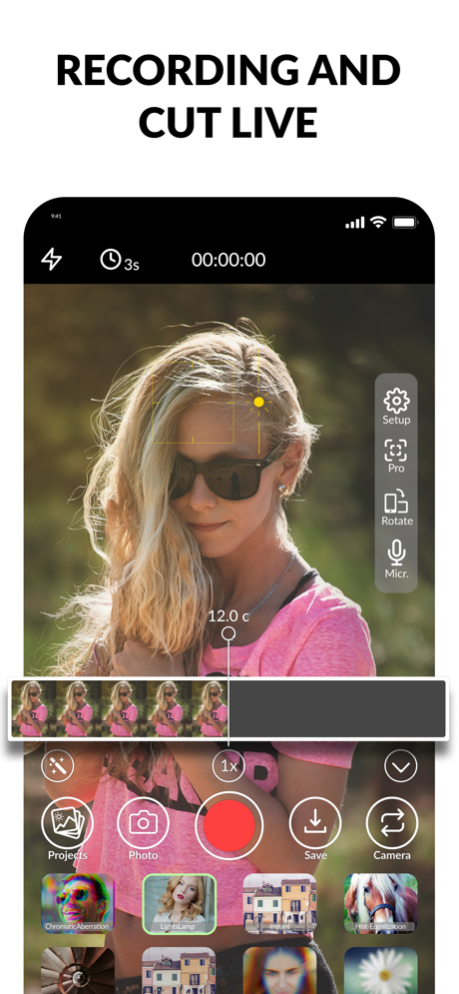
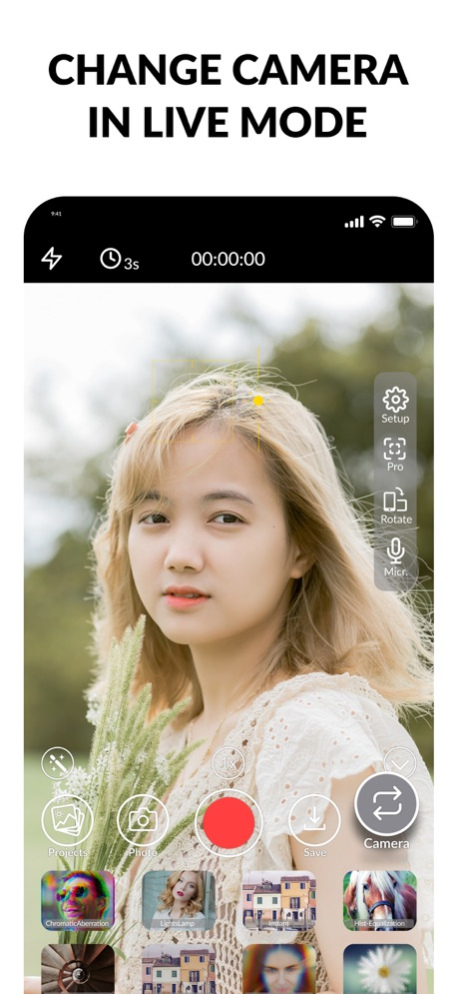
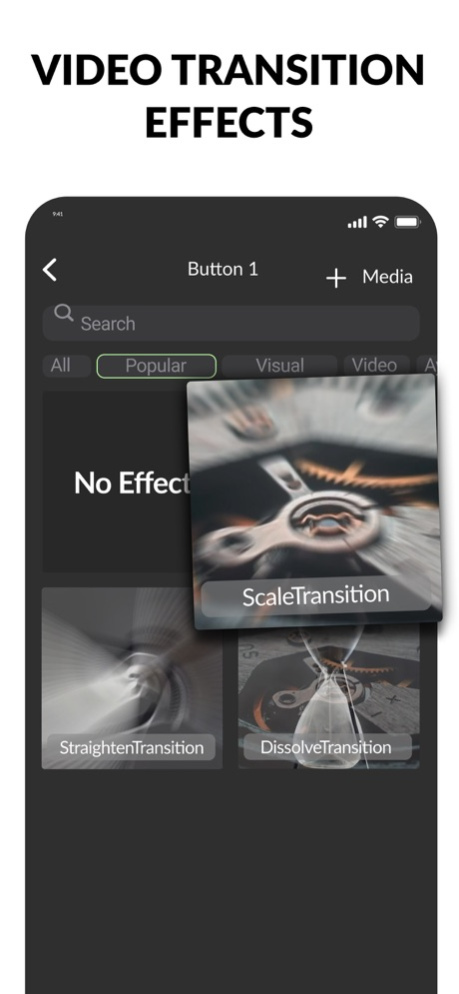

The first application for editing video while shooting. Delete unnecessary fragments, apply filters and music, use built-in transitions.
All OneCamera features are FREE!
▶ Video editing
• video trimming: just pause and delete the bad part
• rewind fragments - continue shooting from any moment
• overlay visual effects during recording
• change superimposed visual effects in real time
• switch from the front camera to the main one at any time
• gluing effects when changing cameras and on pause - which effect you choose yourself
• the assignment or removal of gluing effects can be done at the beginning and during the shooting (on pause)
• zoom: 1x -15x
• flash on/off during video recording
▶ Working with sound
• voice recording
• overlay preset music directly during recording
• bind music to the beginning of shooting (start of recording - turn on the track)
• adding your own music via iTunes
• adding your own downloaded music from the AppStore
▶ Shooting nuances
• shooting mode in the vertical orientation of the phone horizontal video and vice versa, in the • landscape orientation of the phone vertical video
• timer, delayed start of recording for each take
▶ Quick Access Toolbar
• press the magic wand to add the visual effects you need (four or eight pieces) and gluing effects to the panel
• music is added to quick buttons
• button to change the camera when shooting
• photo button - take photos in parallel with shooting video
• save button: you can save a fragment to projects,
• the projects button, when pressed, will show all the footage, you can delete the project, continue shooting further or upload the finished video to the gallery or the social network Instagram, Tik-Tok
• quick access bar collapses at any time
Post the resulting videos on social networks with the hashtag #onecameraapp
[Looking for Content Makers for Instagram or TikTok! Don't be shy - we are waiting for your applications on the website https://www.one-camera.com/bloggers]
Have questions or suggestions? Send them to info@one-camera.com
Official site
https://www.one-camera.com/
Tik tok
https://www.tiktok.com/@onecamera
Instagram
https://www.instagram.com/onecameraapp
YouTube
https://www.youtube.com/channel/UCaD2GwisDW2AQEY3wddL4Tw/featured
Twitter
https://twitter.com/OneCameraApp
Jan 24, 2023
Version 1.6.11
Added 4K video format
About OneCamera: Video Maker
The company that develops OneCamera: Video Maker is Lilit Gasparyan. The latest version released by its developer is 1.6.11.
To install OneCamera: Video Maker on your iOS device, just click the green Continue To App button above to start the installation process. The app is listed on our website since 2023-01-24 and was downloaded 0 times. We have already checked if the download link is safe, however for your own protection we recommend that you scan the downloaded app with your antivirus. Your antivirus may detect the OneCamera: Video Maker as malware if the download link is broken.
How to install OneCamera: Video Maker on your iOS device:
- Click on the Continue To App button on our website. This will redirect you to the App Store.
- Once the OneCamera: Video Maker is shown in the iTunes listing of your iOS device, you can start its download and installation. Tap on the GET button to the right of the app to start downloading it.
- If you are not logged-in the iOS appstore app, you'll be prompted for your your Apple ID and/or password.
- After OneCamera: Video Maker is downloaded, you'll see an INSTALL button to the right. Tap on it to start the actual installation of the iOS app.
- Once installation is finished you can tap on the OPEN button to start it. Its icon will also be added to your device home screen.
Program Details
System requirements
Download information
Pricing
Version History
version 1.6.11
posted on 2023-01-24
Jan 24, 2023
Version 1.6.11
Added 4K video format
Disclaimer
Official App Store Link
We do not host OneCamera: Video Maker on our servers. We did not scan it for viruses, adware, spyware or other type of malware. This app is hosted by Apple and passed their terms and conditions to be listed there. We recommend caution when installing it.
The App Store link for OneCamera: Video Maker is provided to you by apps112.com without any warranties, representations or guarantees of any kind, so access it at your own risk.
If you have questions regarding this particular app contact the publisher directly. For questions about the functionalities of apps112.com contact us.
